
🤖
AI-Optimized
Formats your codebase in a way that's easy for AI to understand and process.
Pack your codebase into AI-friendly formats
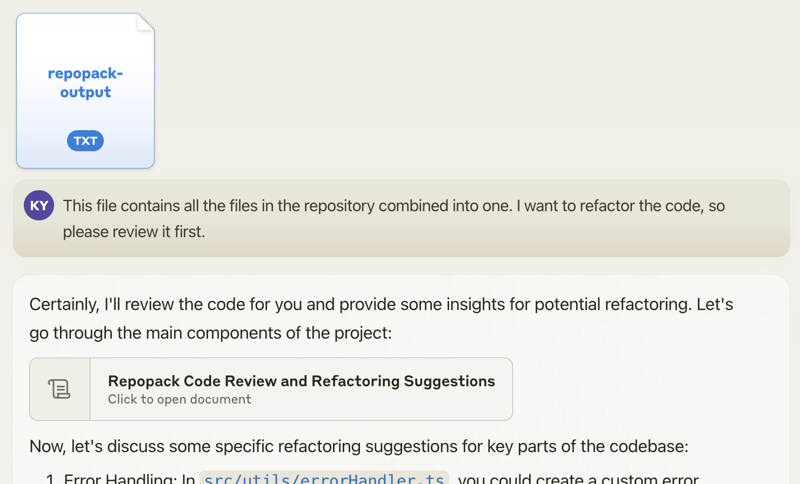
Once you've generated a packed file (repomix-output.xml) using Repomix, you can send it to an AI assistant (like ChatGPT, Claude) with a prompt like:
This file contains all the files in the repository combined into one.
I want to refactor the code, so please review it first.
The AI will analyze your entire codebase and provide comprehensive insights:
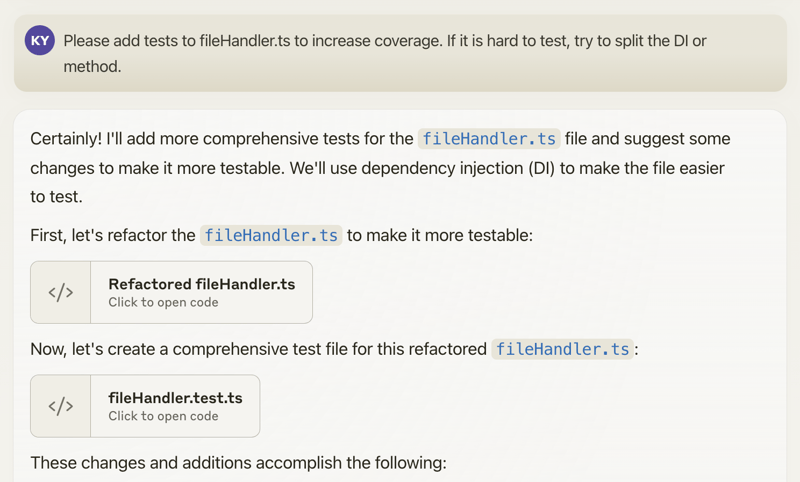
When discussing specific changes, the AI can help generate code. With features like Claude's Artifacts, you can even receive multiple interdependent files:
Happy coding! 🚀
Repomix can be used as a command-line tool, offering powerful features and customization options.
You can try Repomix instantly in your project directory without installation:
npx repomixOr install globally for repeated use:
# Install using npm
npm install -g repomix

# Alternatively using yarn
yarn global add repomix

# Alternatively using Homebrew (macOS/Linux)
brew install repomix

# Then run in any project directory
repomix
That's it! Repomix will generate a repomix-output.xml file in your current directory, containing your entire repository in an AI-friendly format.
To pack your entire repository:
repomixTo pack a specific directory:
repomix path/to/directoryTo pack specific files or directories using glob patterns:
repomix --include "src/**/*.ts,**/*.md"To exclude specific files or directories:
repomix --ignore "**/*.log,tmp/"To pack a remote repository:
# Using shorthand format
npx repomix --remote yamadashy/repomix

# Using full URL (supports branches and specific paths)
npx repomix --remote https://github.com/yamadashy/repomix
npx repomix --remote https://github.com/yamadashy/repomix/tree/main

# Using commit's URL
npx repomix --remote https://github.com/yamadashy/repomix/commit/836abcd7335137228ad77feb28655d85712680f1
To initialize a new configuration file (repomix.config.json):
repomix --initOnce you have generated the packed file, you can use it with Generative AI tools like Claude, ChatGPT, and Gemini.
You can also run Repomix using Docker 🐳
This is useful if you want to run Repomix in an isolated environment or prefer using containers.
Basic usage (current directory):
docker run -v .:/app -it --rm ghcr.io/yamadashy/repomixTo pack a specific directory:
docker run -v .:/app -it --rm ghcr.io/yamadashy/repomix path/to/directoryProcess a remote repository and output to a output directory:
docker run -v ./output:/app -it --rm ghcr.io/yamadashy/repomix --remote https://github.com/yamadashy/repomixChoose your preferred output format:
# XML format (default)
repomix --style xml

# Markdown format
repomix --style markdown

# Plain text format
repomix --style plainCreate a repomix.config.json for persistent settings:
{
  "output": {
    "style": "markdown",
    "filePath": "custom-output.md",
    "removeComments": true,
    "showLineNumbers": true,
    "topFilesLength": 10
  },
  "ignore": {
    "customPatterns": ["*.test.ts", "docs/**"]
  }
}Need more help? 💡
Check out our comprehensive documentation in the Guide or explore the GitHub Repository for more examples and source code.